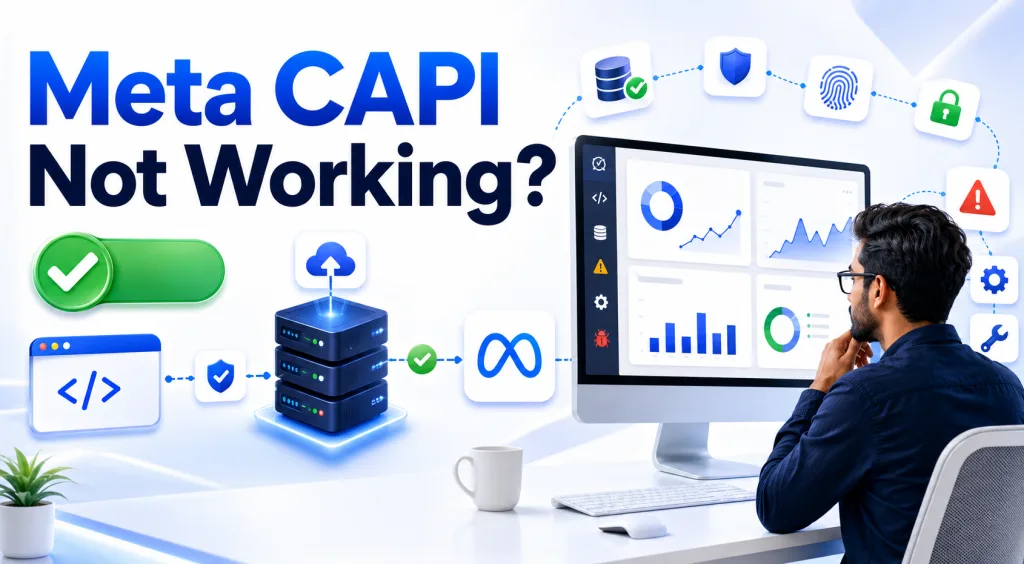
Your campaigns were performing fine last week. Now conversions have quietly dropped, Event Match Quality has fallen, and cost per lead is climbing — but there’s no error message telling you why. This is the most frustrating part of Meta’s Conversions API (CAPI): when it breaks, it usually breaks silently. It doesn’t throw a loud error; it just stops sending Meta the full picture, and your campaigns start optimizing on incomplete data.
Here are the 15 most common reasons CAPI stops working properly, in the order you should actually check them.
1. Your Access Token Has Expired
This is the single most common cause of CAPI silently failing. Long-lived system user tokens can still expire or get revoked if permissions change on the Business Manager. Go to Events Manager → Settings → Conversions API and confirm the connection status is active, not just “configured.”
2. The Pixel Itself Isn’t Installed Correctly
CAPI is meant to work alongside the browser Pixel, not replace it — and a lot of “CAPI issues” are actually base Pixel issues. Use the Meta Pixel Helper browser extension to confirm the Pixel fires on your actual conversion page, not just your homepage.
3. Browser and Server Are Sending Different event_id Values
Deduplication between Pixel and CAPI depends entirely on both sending the exact same event_id for the same event. A common bug is the browser generating the ID with a timestamp function while the server generates a different one independently. If they don’t match, Meta counts the same conversion twice — inflating your numbers and confusing your bidding.
4. Events Are Arriving Outside the Deduplication Window
Even with matching event IDs, if the server-side event arrives more than roughly two hours after the browser event, deduplication can fail. This usually happens with delayed backend processing — for example, a lead that’s only pushed to CAPI after it’s manually verified in a CRM, hours later.
5. PII Isn’t Hashed Correctly
CAPI requires personal data like email and phone number to be hashed with SHA-256 before it’s sent — and Meta is strict about formatting. A phone number with an extra space, an email with mismatched capitalization, or missing country code normalization can all cause the hash to fail matching, which quietly tanks your Event Match Quality score without any visible error.
6. Timestamps Are in the Wrong Format or Timezone
Events need a Unix timestamp in seconds (not milliseconds), and if your server is in a different timezone than expected, events can appear to happen hours apart from when they actually did — which also breaks deduplication and confuses attribution.
7. The action_source Parameter Is Set Incorrectly
This field tells Meta where the event actually happened — website, app, phone_call, system_generated, and so on. Setting the wrong action_source (a very common copy-paste mistake when developers reuse code across event types) causes Meta to misinterpret the event entirely, even if every other parameter is correct.
8. Required Event Parameters Are Missing or Malformed
Purchase events without a value and currency, or Lead events without matching identifiers, get accepted by the API but contribute far less to optimization. Check Events Manager’s diagnostics tab — it will flag which parameters are missing across your recent events.
9. Domain Isn’t Verified in Business Manager
If your sending domain isn’t verified in Business Manager, some CAPI events can be blocked or deprioritized, especially given Meta’s post-iOS14 domain verification requirements. This is easy to overlook if the domain was verified for the Pixel but the CAPI events are coming from a different subdomain or server.
10. A Third-Party Integration Is Silently Duplicating Events
If you’re using a Shopify, WordPress, or WooCommerce plugin for CAPI and a separate server-side GTM container, both may be sending the same events independently. Check your integrations list in Events Manager and make sure only one source is actually authorized to send each event type.
11. Aggregated Event Measurement Priority Isn’t Configured
For iOS 14.5+ traffic, only your top 8 prioritized events under Aggregated Event Measurement actually get counted. If your key conversion event isn’t in that priority list, it gets filtered out for a large chunk of iOS users — even though CAPI is technically sending it correctly.
12. You’re Testing From a Browser With an Ad Blocker
If you’re debugging and the Pixel appears broken, check whether you’re using an ad blocker or privacy extension like uBlock Origin or Brave’s built-in blocker. These block Pixel firing but have no effect on CAPI — which is exactly why running both matters, but it can also mislead your testing if you don’t account for it.
13. Server-Side GTM Container Is Misconfigured
If you’re using a server-side Google Tag Manager container with the Meta CAPI tag template, a common failure point is the tag mapping — fields from your data layer not lining up with what Meta’s tag template expects. Use GTM’s preview mode alongside Meta’s Test Events tool to confirm what’s actually arriving on Meta’s side, not just what’s leaving your container.
14. Consent Management Is Blocking Events
If you have a cookie/consent banner and it’s configured to block tracking scripts before consent, this can suppress both Pixel and CAPI events for a meaningful share of visitors — particularly relevant if you’re targeting EU-adjacent audiences or have strict consent settings applied globally by mistake.
15. You Haven’t Actually Compared CAPI Data Against Your Backend Records
This is the check most people skip. Pull a sample of real conversions from your CRM or order system for a given day, and compare that count against what shows up in Events Manager for the same window. A meaningful gap tells you there’s a coverage problem somewhere in the chain — even if every individual test event looks fine.
How to Actually Debug This (Not Just Guess)
Work through this order rather than jumping around:
- Open Events Manager → Test Events and fire a real conversion yourself
- Confirm it appears from both Pixel and CAPI with a matching
event_id - Check the Deduplication Score — it should be 80%+ if working correctly
- Check Event Match Quality per event — a sudden drop points to hashing or parameter issues, not a platform-wide outage
- Compare a day’s worth of Events Manager data against your actual backend conversion count
Most CAPI problems trace back to signal quality issues like these rather than any actual outage on Meta’s side — which is also why they’re easy to miss for weeks. The campaigns don’t stop; they just quietly optimize against worse information, and your CPL creeps up without an obvious cause.
Conversion tracking issues like these come up constantly once you’re managing live ad accounts — which is exactly the kind of debugging covered hands-on in the Performance Marketing Course.