Imagine a potential customer visits your website, fills out your contact form, downloads a guide, or signs up for your newsletter.
Then what happens?
If your answer is “We contact them manually when we have time,” you may be losing valuable leads.
In today’s competitive digital landscape, customers expect businesses to respond quickly and communicate consistently. But small businesses often don’t have the time or resources to manually follow up with every lead.
This is where email marketing automation becomes powerful.
With the right automated workflows, you can send relevant emails to the right people at the right time—without manually writing and sending every message.
From welcoming new subscribers to following up with potential customers, automated email campaigns can help small businesses build relationships, nurture leads, and increase conversions.
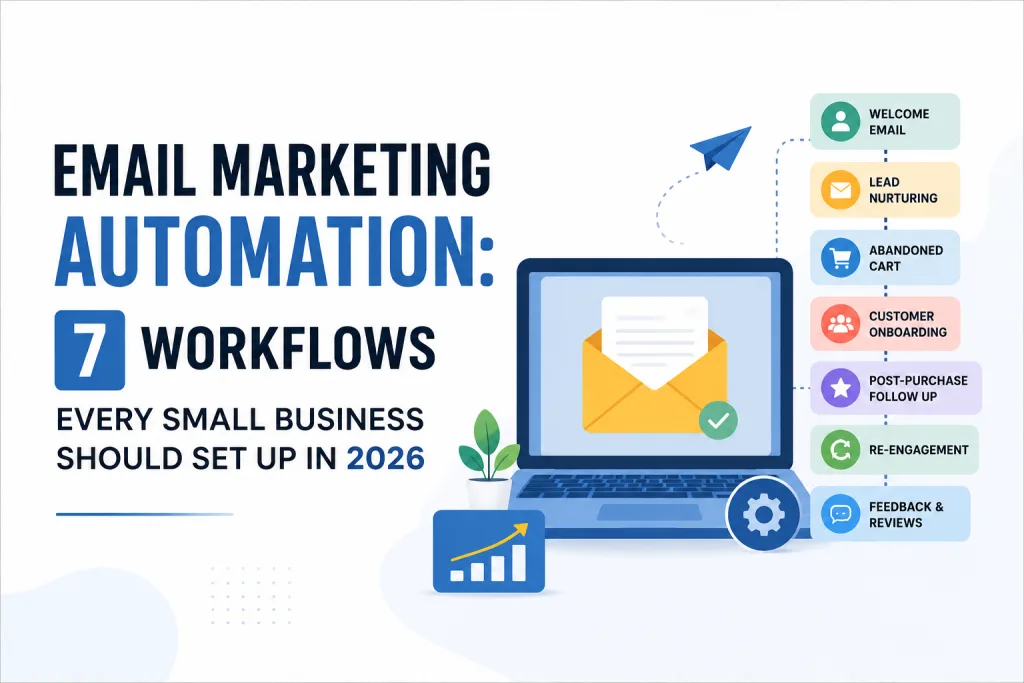
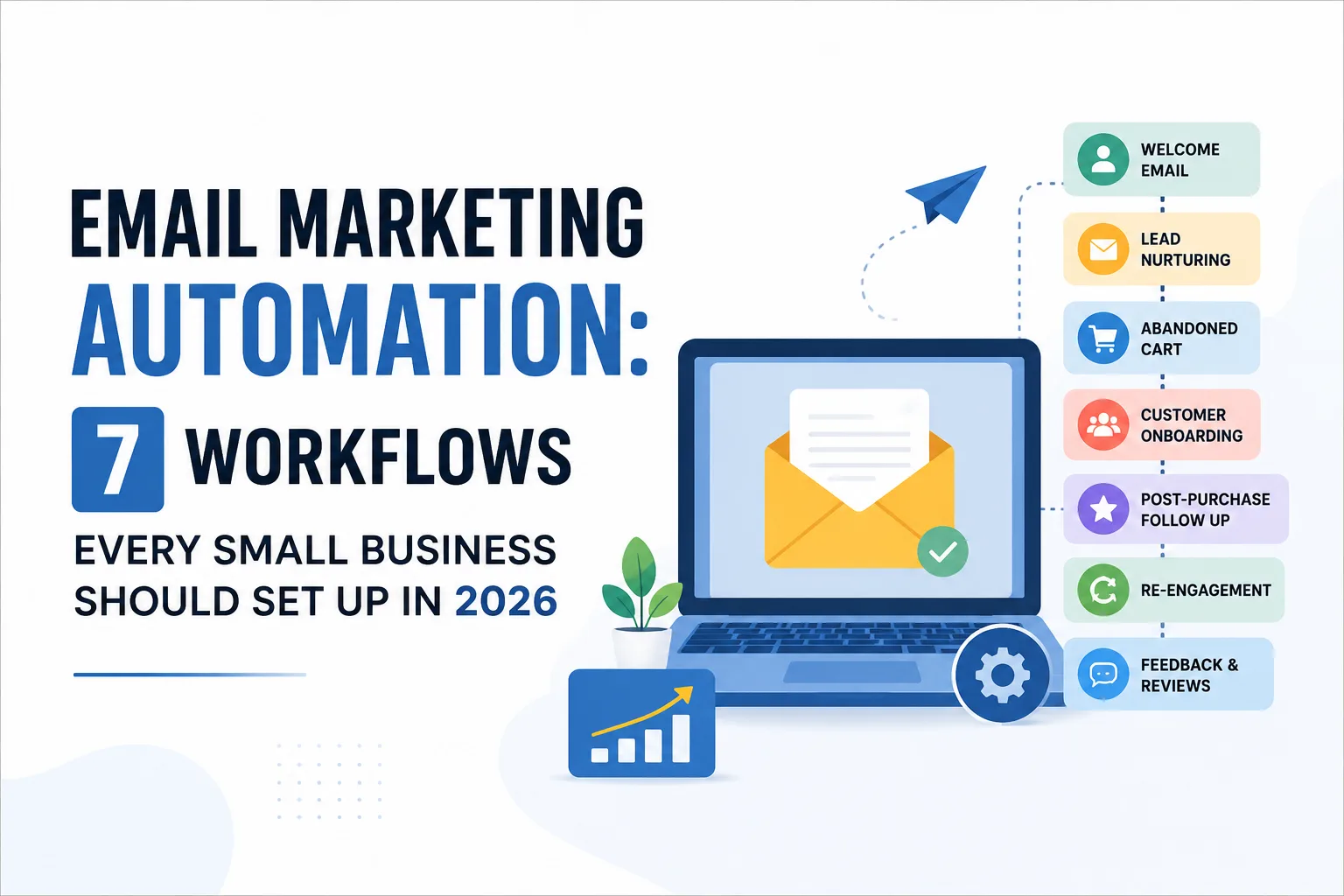
In this guide, we’ll explore 7 essential email marketing automation workflows every small business should consider setting up in 2026.
What Is Email Marketing Automation?
Email marketing automation is the process of using software to automatically send emails based on a user’s actions, behavior, or specific conditions.
Instead of sending the same email to your entire audience, automation allows you to create personalized customer journeys.
For example:
A visitor signs up for your newsletter → They automatically receive a welcome email.
A potential customer submits an enquiry → They receive a confirmation email and follow-up sequence.
A customer makes a purchase → They receive a thank-you email and helpful product information.
This allows businesses to stay connected with their audience while reducing repetitive manual work.
The key idea is simple:
Don’t just send more emails. Build smarter email journeys.
1. Welcome Email Workflow
Trigger:
A person subscribes to your newsletter, downloads a resource, or joins your email list.
Your welcome email is often the first direct communication a new subscriber receives from your business.
That makes it an important opportunity to create a positive first impression.
Instead of simply saying “Thanks for subscribing,” use the welcome sequence to introduce your brand and guide the subscriber toward the next step.
A simple welcome sequence could look like:
Email 1 – Immediately:
Welcome the subscriber and explain what they can expect.
Email 2 – After 1 day:
Introduce your business, story, or unique value.
Email 3 – After 2–3 days:
Share useful content, tips, or resources.
Email 4 – After 5–7 days:
Introduce your main product or service with a clear CTA.
Example:
A digital marketing agency could send:
Email 1: Welcome to our marketing community.
Email 2: 5 digital marketing mistakes small businesses make.
Email 3: How to improve your website’s visibility on Google.
Email 4: Ready to improve your online presence? Let’s talk.
Why it works:
A welcome sequence helps new subscribers understand who you are while gradually building trust.
2. Lead Nurturing Workflow
Not every visitor is ready to buy immediately.
Someone may download your ebook today but only become a customer several weeks later.
This is where a lead nurturing workflow becomes essential.
Instead of allowing the lead to disappear after their first interaction, automated emails keep your business in their mind.
Example workflow:
Day 1: Thank them for downloading your resource.
Day 3: Share a helpful educational article.
Day 6: Explain a common problem related to your service.
Day 10: Share a case study or customer success story.
Day 14: Present your service as a possible solution.
Day 18: Send a clear call-to-action.
The goal isn’t to aggressively sell in every email.
The goal is to move the customer from:
Awareness → Interest → Consideration → Action
Pro tip:
Segment leads based on their interests.
Someone interested in SEO shouldn’t receive the same emails as someone interested in Google Ads.
The more relevant your content is, the more valuable your emails become.
3. Abandoned Cart Recovery Workflow
If your business sells products online, an abandoned cart workflow should be a priority.
Many customers add products to their cart but leave without completing the purchase.
There can be many reasons:
- They got distracted.
- They wanted to compare prices.
- They weren’t ready to buy.
- They experienced a payment issue.
- They simply forgot.
An automated email can remind them to complete the purchase.
A simple workflow:
Email 1 – After 1 hour:
“Did you forget something?”
Email 2 – After 24 hours:
Remind them about the product and highlight its benefits.
Email 3 – After 48–72 hours:
Offer additional motivation, such as free shipping or a limited-time incentive, if appropriate.
Important:
Don’t make every abandoned-cart email sound desperate.
Focus on helping the customer complete their journey.
A simple reminder can sometimes be enough to recover a lost sale.
4. Customer Onboarding Workflow
Getting a customer is only the beginning.
The next step is helping them get value from your product or service.
That’s where an onboarding email workflow can help.
For example, if you run a SaaS company, online course, agency, or subscription service, you can automatically guide new customers through the next steps.
Example:
Email 1: Welcome and thank you.
Email 2: How to get started.
Email 3: Important features or benefits.
Email 4: Helpful tips and resources.
Email 5: Frequently asked questions.
Email 6: Contact support or book a consultation.
A good onboarding workflow reduces confusion and helps customers become comfortable with your product or service.
The goal is to answer one important question:
“What should the customer do next?”
5. Post-Purchase Follow-Up Workflow
The customer journey shouldn’t end after payment.
After someone buys from you, you have an opportunity to build a long-term relationship.
A post-purchase email workflow can include:
Immediately:
Send an order confirmation or thank-you email.
After delivery:
Ask if everything arrived successfully.
After a few days:
Share helpful tips on using the product.
After 1–2 weeks:
Ask for feedback or a review.
Later:
Recommend relevant products or services.
This approach can help turn a one-time buyer into a repeat customer.
For service businesses, the same idea can be applied differently.
For example, after completing a project, an agency could automatically send:
- Project completion email.
- Feedback request.
- Review request.
- Referral request.
- Future service recommendations.
6. Re-Engagement Workflow
Over time, some subscribers stop opening your emails.
This doesn’t always mean they’re no longer interested.
They may simply be busy, overwhelmed, or no longer noticing your messages.
A re-engagement workflow can help you identify inactive subscribers and give them a reason to return.
Example:
Email 1:
“We haven’t seen you in a while.”
Email 2:
Share your most valuable recent content.
Email 3:
Ask what type of content they’d like to receive.
Email 4:
Give them the option to update their preferences or unsubscribe.
The goal is not to keep inactive subscribers forever.
Sometimes, removing inactive contacts can actually improve your email list quality.
A healthy email list is often more valuable than a large but inactive one.
7. Customer Feedback and Review Workflow
Customer feedback is extremely valuable for any small business.
But many businesses make the mistake of asking for reviews manually.
Automation can make this process easier.
After a customer has had enough time to experience your product or service, automatically send a feedback request.
Example:
Email 1:
“How was your experience?”
Email 2:
Ask for a Google review or testimonial.
Email 3:
Thank them for their feedback.
If the customer gives positive feedback, you can invite them to share a public review.
If they report a problem, you can direct them to your support team.
This creates a simple system where feedback helps you:
- Improve customer experience.
- Build social proof.
- Generate testimonials.
- Identify problems earlier.
Bonus: The Secret to Successful Email Automation
Setting up automation is not enough.
The real power comes from sending the right message to the right person at the right time.
Here are a few things small businesses should focus on in 2026.
1. Segment Your Audience
Don’t send identical emails to everyone.
Segment your audience based on:
- Interests.
- Location.
- Purchase history.
- Website behavior.
- Customer stage.
- Engagement level.
2. Personalize Beyond the First Name
Adding someone’s first name is basic personalization.
Modern email marketing should focus on context.
For example:
Instead of:
“Hi John, check out our services.”
Try:
“You recently downloaded our SEO guide. Here’s a practical checklist to help you improve your website’s visibility.”
That’s more relevant and useful.
3. Focus on First-Party Data
As privacy expectations continue to grow, businesses should build stronger relationships with audiences they can directly reach.
Your email list is an important business asset because you don’t have to depend entirely on algorithm changes or paid advertising platforms to communicate with your audience.
However, always collect and use email data responsibly and follow applicable privacy and consent requirements.
4. Don’t Automate Everything
Automation should make communication more efficient—not robotic.
Important customer conversations may still require a human response.
Use automation for repetitive tasks, but maintain a human touch where it matters.
How to Start Email Marketing Automation as a Small Business
You don’t need to build 20 complicated workflows on day one.
Start small.
Step 1: Choose your email marketing platform
Select a platform that supports automation, segmentation, analytics, and integrations that fit your business.
Step 2: Build your email list
Use legitimate opt-in methods such as:
- Website signup forms.
- Lead magnets.
- Newsletter subscriptions.
- Webinar registrations.
- Product registrations.
Step 3: Create your first workflow
Start with a simple welcome email sequence.
Step 4: Add lead nurturing
Once your welcome workflow works, build a lead nurturing journey.
Step 5: Track performance
Monitor metrics such as:
- Open rate.
- Click-through rate.
- Conversion rate.
- Unsubscribe rate.
- Revenue generated.
- Engagement by segment.
Step 6: Improve continuously
Test different:
- Subject lines.
- CTAs.
- Email content.
- Sending times.
- Segments.
Automation is not a “set it and forget it” strategy.
The best workflows improve over time based on real customer behavior.
Final Thoughts
Email marketing automation gives small businesses the ability to stay connected with customers without spending hours manually sending follow-up emails.
From welcoming new subscribers and nurturing leads to recovering abandoned carts and collecting reviews, automated workflows can support almost every stage of the customer journey.
The biggest mistake is trying to automate everything at once.
Start with one workflow.
Build a simple welcome sequence.
Then create a lead nurturing campaign.
After that, expand your automation based on your customer’s journey.
Remember:
Automation should not replace relationships. It should help you build better relationships at scale.
In 2026, small businesses don’t necessarily need bigger marketing teams to compete. They need smarter systems.
And a well-planned email automation strategy can become one of the most valuable systems in your digital marketing toolkit.
Start with one workflow today. Improve it with data. Then build from there.